

Cyber threat intelligence (CTI) involves gathering, analyzing, and understanding information about cyber security threats. To do this effectively, you need to use a CTI aggregator to harness the power of automation and strive to achieve the single pane of glass principle in cyber security architecture.
This article will teach you what a CTI aggregator is, why you need one, and how to create your own for free! You will see how you can use and configure the popular news aggregation tool Feedly to create a custom CTI aggregator to add efficiency to your threat intelligence pipeline.
Let’s begin elevating our threat intelligence processes and build our own CTI aggregator.
What is a CTI Aggregator?
You have probably heard of or used a news feed aggregator. These applications collect news articles from various sources and display them in a single pane of glass that you can scroll through. Social media platforms, such as X (formerly Twitter), can be viewed as aggregators. They collect news and life stories from people you follow. There are also more conventional news aggregators like Feedly, which you can configure to collect articles from specific news outlets using RSS feeds.
A Cyber Threat Intelligence (CTI) aggregator is similar to a news feed aggregator, except that it collects news specific to threat intelligence and consolidates it in one place. These could include articles describing the latest vulnerability, a novel tactic/technique/procedure (TTP) a threat actor is using, trends in the ransomware scene, or any other topic that constitutes strategic, operational, or tactical information.
To learn about the different types of threat intelligence and how they are used, read Threat Intelligence vs Threat Hunting: What is the Perfect Pipeline?
Why Do I Need a CTI Aggregator?
An important principle to follow (or at least strive for) when architecting cyber security systems or designing processes is the single pane of glass principle. Following this principle, you should aim to create a platform that contains all the alerts, incidents, and cases your
SOC analysts, incident responders, and other defenders must monitor and respond to. An analyst should be able to log in to this platform and see all the cases they need to triage, analyze, and respond to based on the threats your organization faces.
Security Orchestration, Automation, and Response (SOAR) solutions are designed to make this single-pane-of-glass principle possible. Security solutions (EDRs, SIEMs, WAFs, etc.) feed their data into a SOAR, which processes this data and performs automated triage and enrichment to provide additional context to alerts or incidents. An analyst then logs into the SOAR solution to manage cases and trigger responses using the connected security solutions APIs to respond to threats rapidly.
Like a SOC analyst, a CTI analyst needs to inspect a range of sources to gather data they need to triage, analyze, and distribute. A CTI aggregator follows this single pane of glass principle by collecting and collating all the CTI sources you need to check into a single screen that you can scroll through. It saves you from manually collecting new threat intelligence and speeds up the threat intelligence lifecycle.
Learn more about what a CTI analyst does and the threat intelligence lifecycle in Day in the Life of a Senior Threat Intelligence Analyst.
The Tools Available for Creating a CTI Aggregator
Now you know what a CTI aggregator is and why you need one, you are probably wondering: “How do I get my hands on a CTI aggregator?”
You have two options:
- You can buy access to a Threat Intelligence Platform (TIP). This paid-for CTI platform collects, analyzes, and shares information about potential cyber security threats and is provided by a commercial CTI vendor. They are great for getting the intelligence specific to your organization.
- You can build your own for free using a CTI aggregator like Feedly or Inoreader. This is an excellent option for maximizing the use of free and open-source threat intelligence or establishing a custom CTI platform.
In this article, I assume you don’t have thousands to spend on a TIP, so I will show you how to build your own CTI aggregator using Feedly completely for free, turning it into our own custom CTI platform. Let’s begin!
How to Create a CTI Aggregator with Feedly
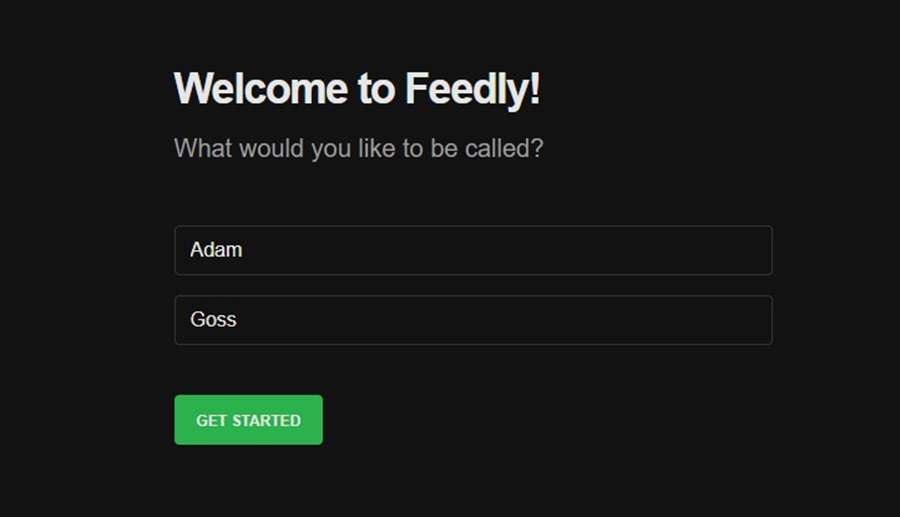
First, sign up for Feedly and click ‘Get Started’ to create an account.
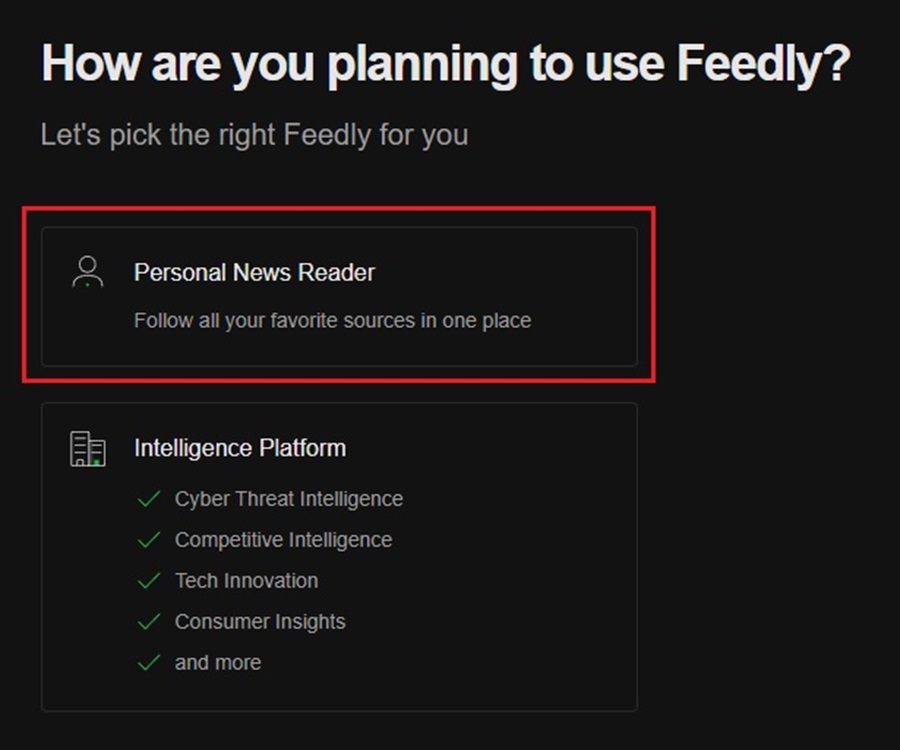
Next, select the Personal News Reader option when creating your account (ignore Intelligence Platform for now – this is a paid feature you will learn more about later).
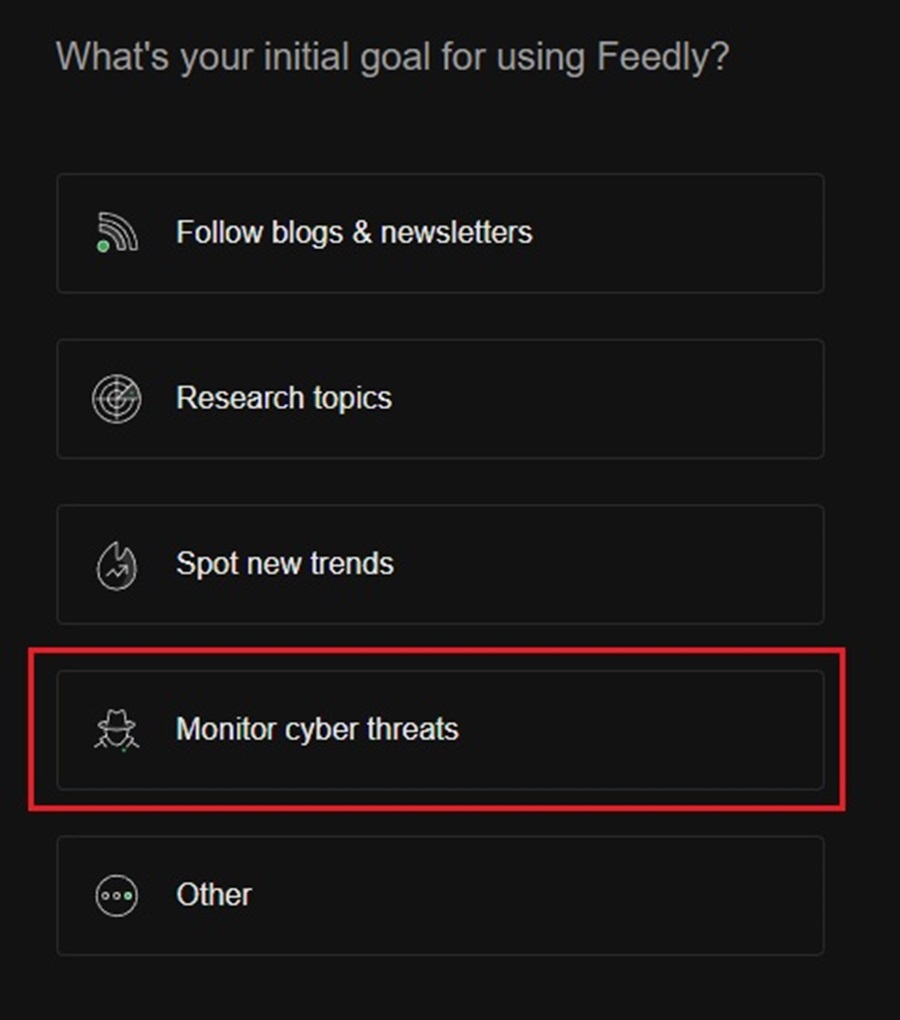
Select the Monitor cyber threats option when asked about your initial goal for using Feedly.
This will bring you to the main Feedly dashboard, where you can begin configuring Feedly into a CTI aggregator.
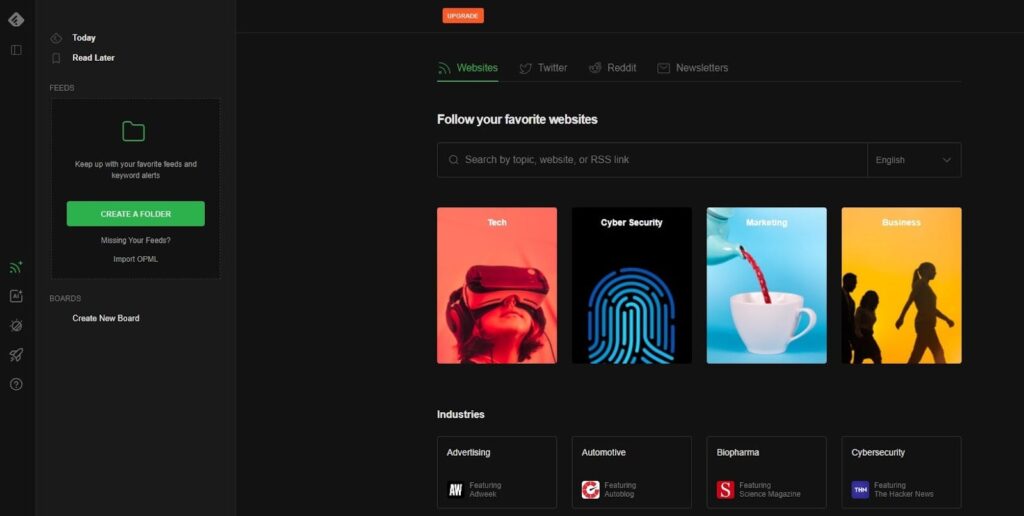
To begin, click the Create a Folder button in the left pane. This is where you will store all your threat intelligence information. Creating folders based on what news they are aggregating is a good way to keep organized. You could have a folder for threat hunting ideas, interesting tools, or cute pictures of puppies.

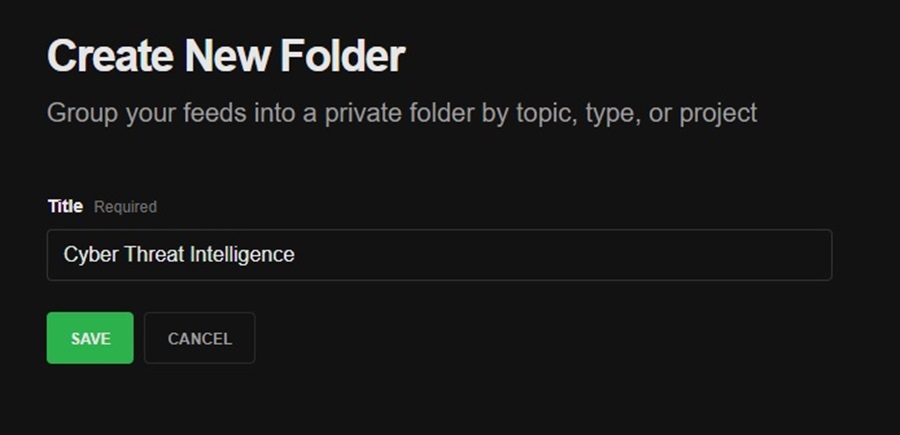
Name your new folder and click Save.
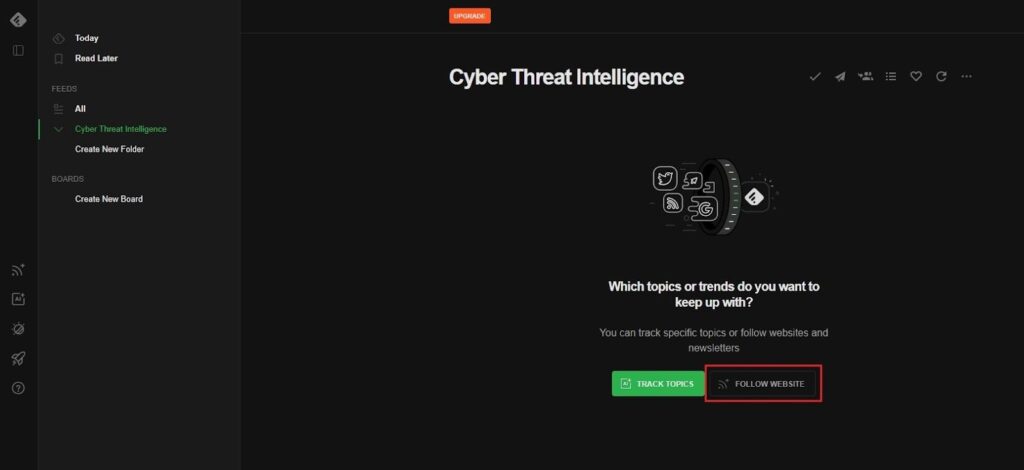
This will bring you to your folder’s default screen. Here, you can begin adding threat intelligence sources to your folder. Feedly will pull articles from these sources and populate the folder with this data. Click the Follow Website button to add a threat intelligence source to pull data from.
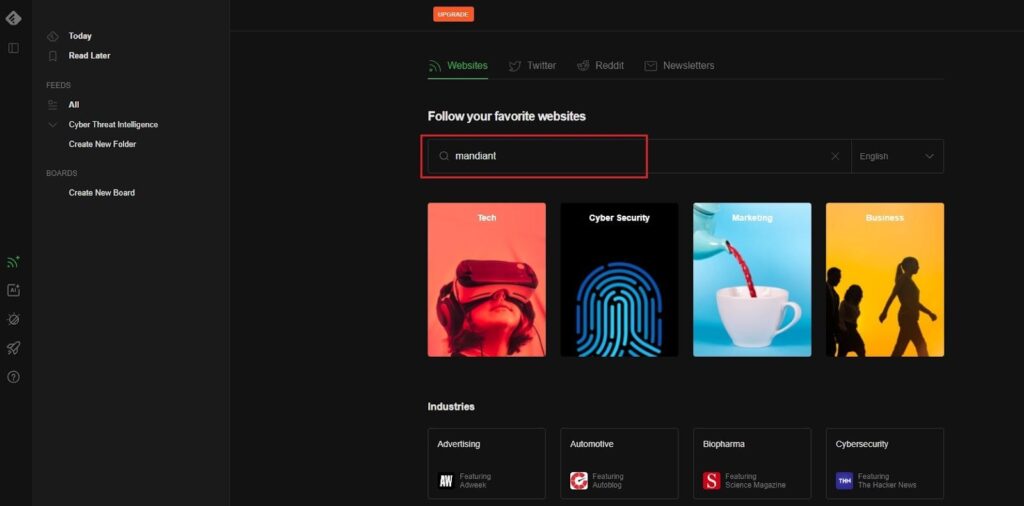
Next, search for the threat intelligence source you want to pull CTI articles from using the search bar. This could be the name of the source, an RSS link, or a topic. Here, I have searched for Mandiant (a popular CTI provider).
The top match looks like a good one. To add it as a threat intelligence source, click the Follow button, hover over your Cyber Threat Intelligence folder, and click Add.
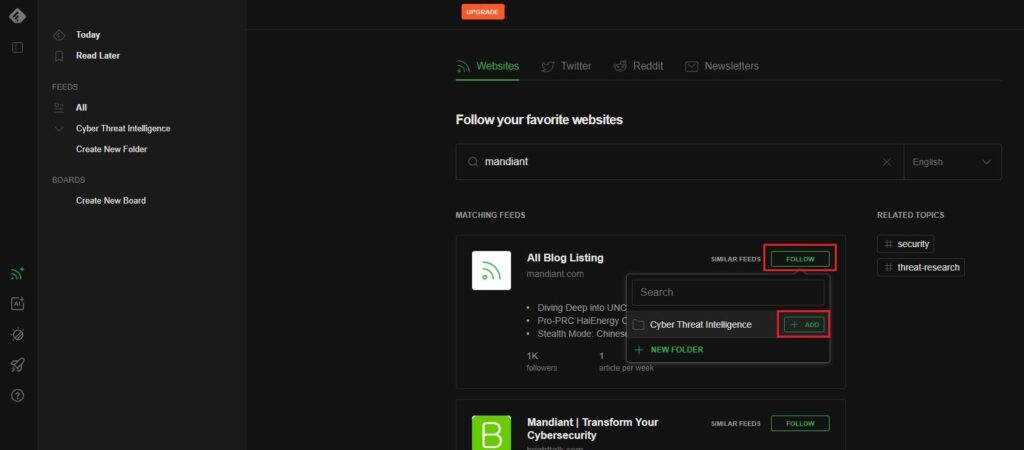
This will add Mandiant as a source to our Cyber Threat Intelligence folder. Whenever a new threat intelligence article is added to the Mandiant blog, Feedly will automatically pull this article to our Cyber Threat Intelligence folder for you to read.
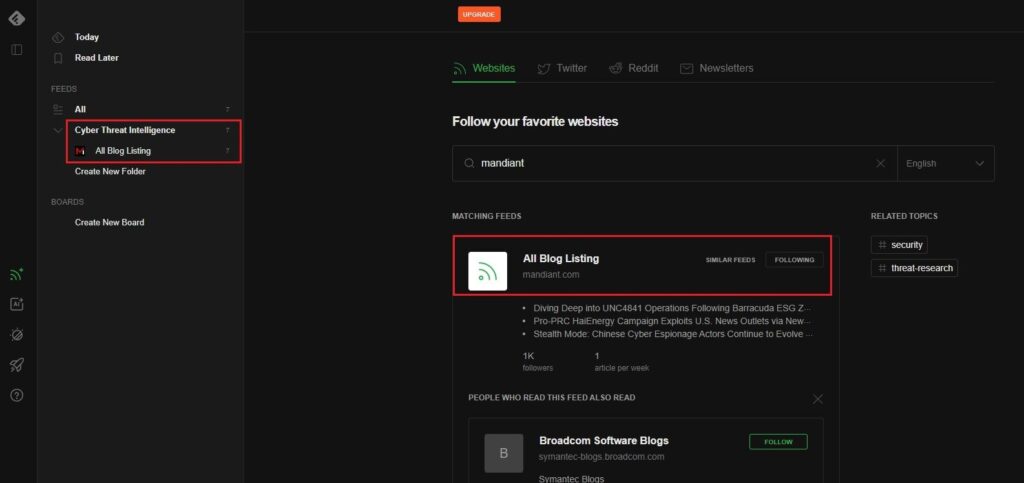
If you click on the Cyber Threat Intelligence folder, you will see a list of articles Feedly has already pulled down from the Mandiant blog for you to read.
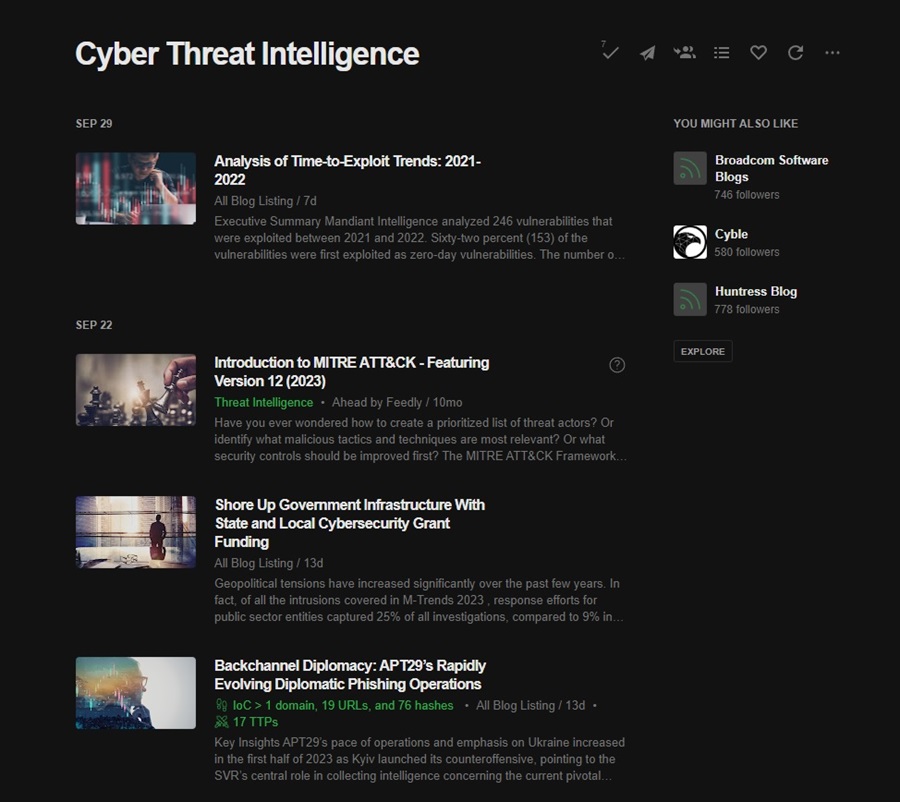
You can click on an article to read it or hover over it and use one of the tool icons.
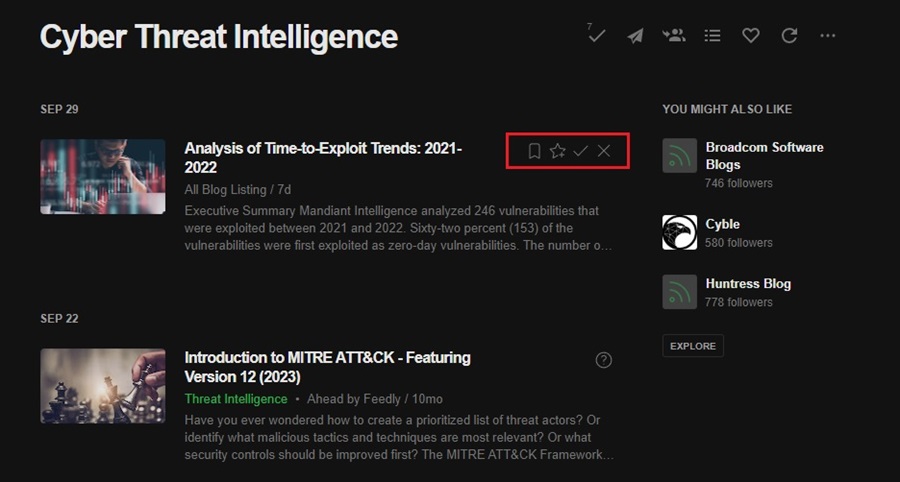
From left to right, these include:
- Read Later: Save the article to the Read Later folder (top left of the interface).
- Save to Board: Feedly lets you create Boards to save similar or interesting articles. You can then share these boards with other users (work colleagues) for collaboration and knowledge sharing. Create a board and then click this button to add an article to it.
- Mark as Read: This button marks an article as read so you can keep track of what articles you have already looked at in Feedly. It also shades out the article so you can quickly see what articles are still to read.
- Mark as Read and Hide: This button marks an article as read and removes it from your article feed.
To make your Cyber Threat Intelligence folder more comprehensive, add more CTI feeds. To do this, click on the Explore button (right side pane) or the Follow button (left side menu).
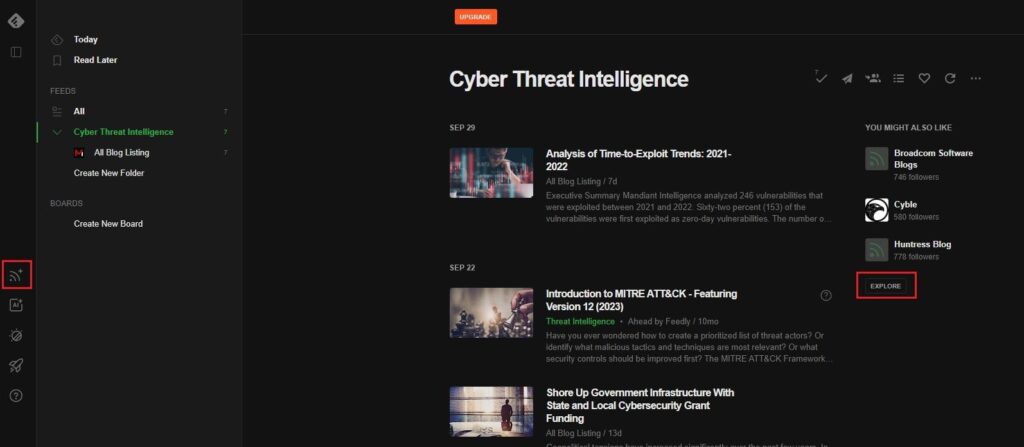
Now, repeat the process of searching for and adding a CTI provider. This could be a website, blog, Twitter user, Reddit channel, or even a newsletter!
Cyber Threat Intelligence Sources to Add
To help you begin your CTI journey, I have compiled a list of threat intelligence sources that I have added to my CTI aggregator. Feedly pulls from all these sources and groups them by date in my Cyber Threat Intelligence folder. You need to log in to Feedly and review the articles to keep up-to-date with all the latest threat intelligence news provided by the wonderful people who contribute to the open-source CTI community.
List of free and open-source CTI feeds to add to your CTI aggregator tool:
- Mandiant
- Sekioa.io
- AlienVault OTX
- CISA Alerts
- Cisco Talos Blog
- Cyble Research Blog
- IBM X-Force Exchange
- Microsoft Security Intelligence
- NCSC Weekly Threat Reports
- Red Canary Blog
- RiskIQ Community Edition
- Trend Micro Research Blog
- Palo Alto Networks Unit 42 Blog
Feedly’s Paid Option
You may have seen that some articles have tags associated with them, such as IoC, TTPs, and Threat Intelligence.
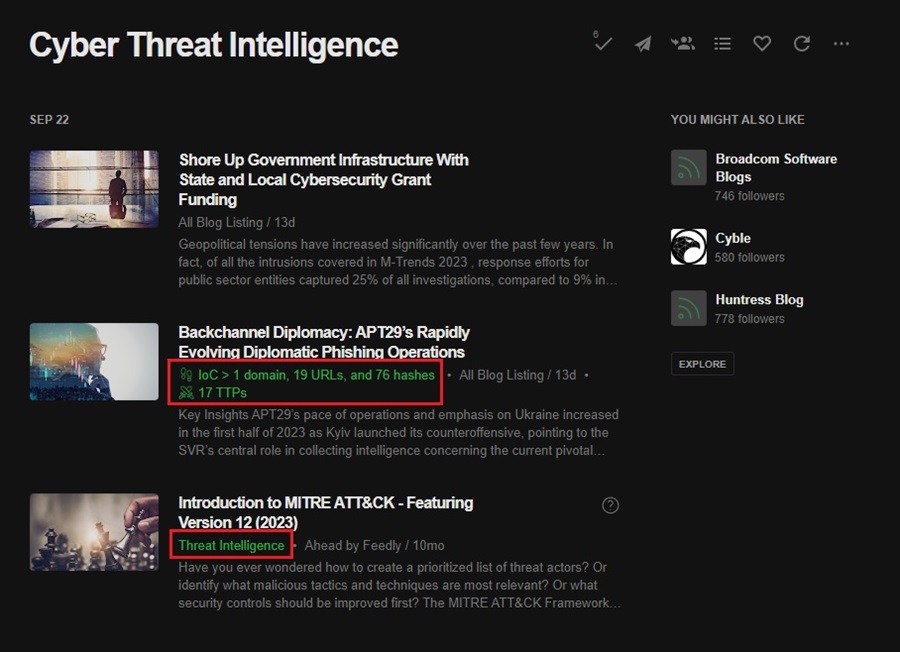
These tags are part of Feedly’s paid Threat Intelligence feature. This feature utilizes AI to automatically search through articles, extract relevant data (IOCs, TTPs, CVEs, etc.), and display it to you. It also filters out duplicates, prioritizes articles from reputable sources or those with high traction, and more.
Feedly’s threat intelligence is excellent and a valuable tool for an enterprise-level CTI team to utilize. However, it is costly, and you can still use Feedly as a CTI aggregator without adding on this paid feature. You won’t get all the fancy AI automation, but you will be limited to three folders and 100 CTI feeds. However, this should be all you need.
You can choose to upgrade to Pro or Pro+ and gain additional Feedly features, including more CTI feeds, enhanced search options, and ad-free browsing, without needing to upgrade to the Enterprise tier. The help you filter for intelligence that is more specific to your organization, and it is worth investigating this option if you intend to use Feedly professionally and regularly outside of work.
Summary
Cyber threat intelligence aggregators are incredible CTI tools that enhance the efficiency of your threat intelligence gathering and analysis process through the power of automation. You have learned what a CTI aggregator is and how to create your own for free using Feedly.
That said, Feedly is one of many options on the market. Another great alternative news aggregator you can use to create a free CTI aggregator tool is Inoreader. This is very similar to Feedly but provides a cleaner interface, better pricing options for individual users, and is less pushy about upgrading to paid features. If you find Feedly annoying, then be sure to check out Inoreader.
Whatever CTI aggregator option you choose —commercial TIP, Feedly, or Inoreader —you now have the knowledge and power to create and use one effectively. I highly recommend adding one to your threat intelligence pipeline to enhance your team’s capabilities.




What Are Some Free Cyber Threat Intelligence Feeds I Can Use?
Several excellent free options are available, including the community-driven AlienVault OTX, government sources such as CISA’s Automated Indicator Sharing (AIS), and specialized feeds from projects like The Spamhaus Project or abuse.ch. These platforms provide valuable indicators of compromise (IOCs) such as malicious IP addresses, domains, and file hashes. Integrating these feeds into your security tools, like a SIEM or firewall, is a great, low-cost way to enhance your defensive posture.
What Free Threat Intelligence Platforms Are Available?
For those seeking to centralize and analyze threat data, several powerful, free, and open-source platforms are available, including MISP (Malware Information Sharing Platform) and OpenCTI. These platforms allow you to aggregate, correlate, and visualize threat intelligence from various feeds and internal sources. They are excellent for security teams seeking to establish a more structured and collaborative approach to managing threat information without the expense of a commercial solution.
What Free Threat Intelligence Tools Can I Use?
For hands-on analysis and investigation, numerous free tools are indispensable, such as Maltego Community Edition for visualizing data relationships, VirusTotal for analyzing suspicious files and URLs, and YARA for creating custom malware detection rules. These tools are excellent for enriching raw data from threat feeds, allowing you to investigate specific indicators and understand the TTPs (Tactics, Techniques, and Procedures) of an attacker. They empower an analyst to pivot from a single piece of data to a much broader understanding of a potential threat.
What is a Threat Intelligence Feed Aggregator?
A threat intelligence feed aggregator (CTI aggregator) is a tool that collects data from multiple threat intelligence sources—both free and commercial—into a single, unified stream. Its primary job is to normalize this data into a standard format and remove duplicate indicators, which saves analysts time and effort. This cleaned-up, consolidated feed can then be easily ingested by other security tools, such as SIEMs or firewalls, to enhance their detection capabilities.
What Are Open Source Threat Intelligence Feeds?
Open-source threat intelligence feeds are publicly available data streams that provide information on potential cyber threats, such as malicious IP addresses, fraudulent domains, and malware file hashes. These feeds are typically gathered and maintained by security communities, researchers, and non-profit projects rather than a commercial vendor. Integrating this free intelligence into security tools, such as firewalls and SIEMs, is a popular and cost-effective way for organizations to enhance their ability to detect and block known threats.