
Your leadership asks a simple question: “Is our CTI program actually working?”
Most CTI teams can list the reports they shipped and the indicators they ingested. Far fewer can show that any of it improved security. The CTI-CMM (Cyber Threat Intelligence Capability Maturity Model) gives you a way to answer properly, but it is big: 11 domains and 197 practice statements in the current assessor. Opening it for the first time feels like being handed an audit.
After running CTI-CMM assessments for multiple organizations, I see teams get stuck in the same two places every time!
This guide is for CTI leads and analysts who own their program’s maturity story, whether you manage a team or are the team. You will learn which domains to score first, what counts as evidence, how to turn your results into a roadmap leadership will back, and how to show progress every six months.
Why CTI-CMM Assessments Stall
Teams rarely struggle because they misunderstand the model. They get stuck in two predictable places.
The first is having no priority intelligence requirements (PIRs), so teams measure what is easy: indicators ingested, reports circulated, feeds subscribed to. None of that, on its own, shows whether mean time to detect (MTTD) or mean time to contain (MTTC) improved. Our guide to CTI metrics that measure your CTI program will help you swap vanity numbers for outcomes.
The second is framework paralysis. Teams try to assess every domain at once, spread their effort thin, and abandon the assessment half-finished. It is one of the classic challenges of building a CTI team.
The fix is to assess fewer domains, score them properly, and let tools do the heavy lifting. The rest of this guide shows you how.
What Is the CTI-CMM?
The CTI-CMM is a free, community-built framework for assessing and improving a CTI program by measuring how well your team supports each stakeholder. Over 30 intelligence professionals developed it and modeled it on the US Department of Energy’s Cybersecurity Capability Maturity Model (C2M2). The current release is version 1.3 at cti-cmm.org.
Its 11 domains each map to a stakeholder or function your CTI team supports: asset, threat, risk, access, situational awareness, response, third parties, fraud, workforce, architecture, and program management.
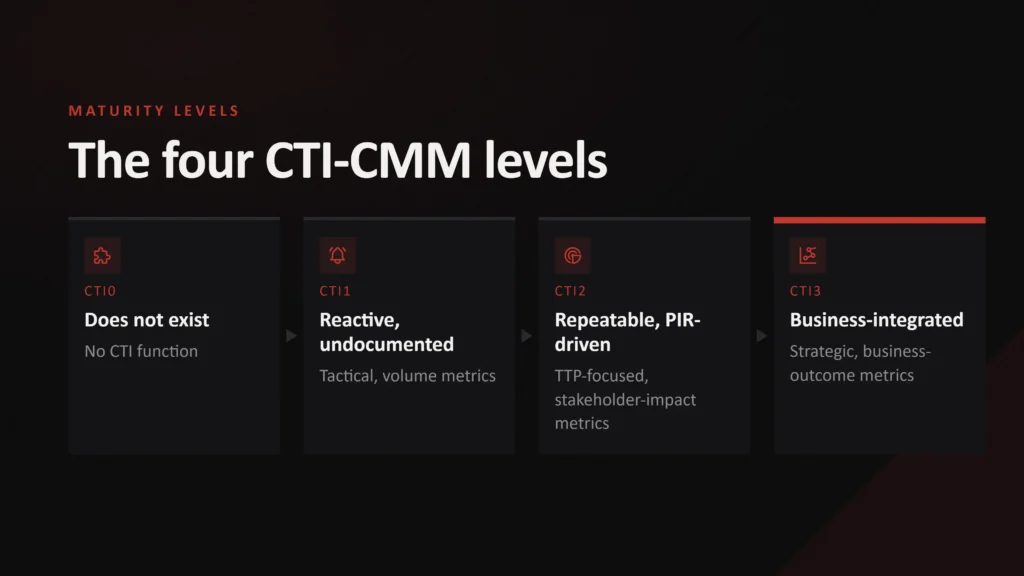
Practices within each domain are grouped into three maturity levels, CTI1 to CTI3, with CTI0 meaning no practices are performed. The CTI-CMM framework document describes them like this:
| Level | What the practices look like | What the metrics look like |
|---|---|---|
| CTI0 Pre-Foundational | No practices are performed | None |
| CTI1 Foundational | Basic, mostly undocumented, ad hoc and reactive | Throughput and effort, with limited measurable value |
| CTI2 Advanced | Mostly documented, planned and standardized, with repeatable results | Include qualitative measures of stakeholder impact |
| CTI3 Leading | Prescriptive, cross-functional and aligned to business outcomes | Mapped to outcomes and reported to leadership |
Metrics mature alongside the practices. Volume metrics signal CTI1, not success.
How Scoring Works
Within each domain, you score every practice on how fully it is implemented, using the CTI-CMM’s four-point scale (borrowed from the C2M2):
- 0, Not implemented: the practice is not performed.
- 1, Partially implemented: incomplete, with multiple opportunities for improvement.
- 2, Largely implemented: complete, but with a recognized opportunity for improvement.
- 3, Fully implemented: complete.
Don’t confuse the two scales. CTI1 to CTI3 describe which tier a practice sits in. The 0 to 3 score describes how fully you do it. A CTI2 practice can score anywhere from 0 to 3. The framework tells you to be critical and, when you are torn between two scores, pick the lower one. I go one step further:
The evidence rule: if you cannot point to documented, repeatable evidence that a practice happens, score it no higher than 1. Work that happens but cannot be proven is partial. It is never largely or fully implemented.
Every step that follows is built around that rule.
The CTI Maturity Assessment Workflow
Three free tools take most of the workload:
| Tool | Best for | Main limitation |
|---|---|---|
| Official CTI-CMM assessor | The ground-truth scoring format, in a local spreadsheet you control | Planning is manual |
| Cosive’s web app | Guided scoring and planning visuals, stored in your browser | You still supply every score |
| Custom AI skill | Reading evidence and drafting scores at scale | Every citation needs human checking |
The assessor is Apache-2.0 licensed. Cosive’s app is MIT-licensed, uses the same 197 practices, and runs locally via Docker or a Python web server (Windows users need WSL for the make commands). No assessment data leaves your machine, which matters if legal will not let maturity data touch a vendor’s servers.
An AI skill is a packaged, reusable set of instructions that makes an AI assistant run the same process every time; Claude calls these Agent Skills, but the same approach works with any capable model, using a saved prompt and connected data sources.
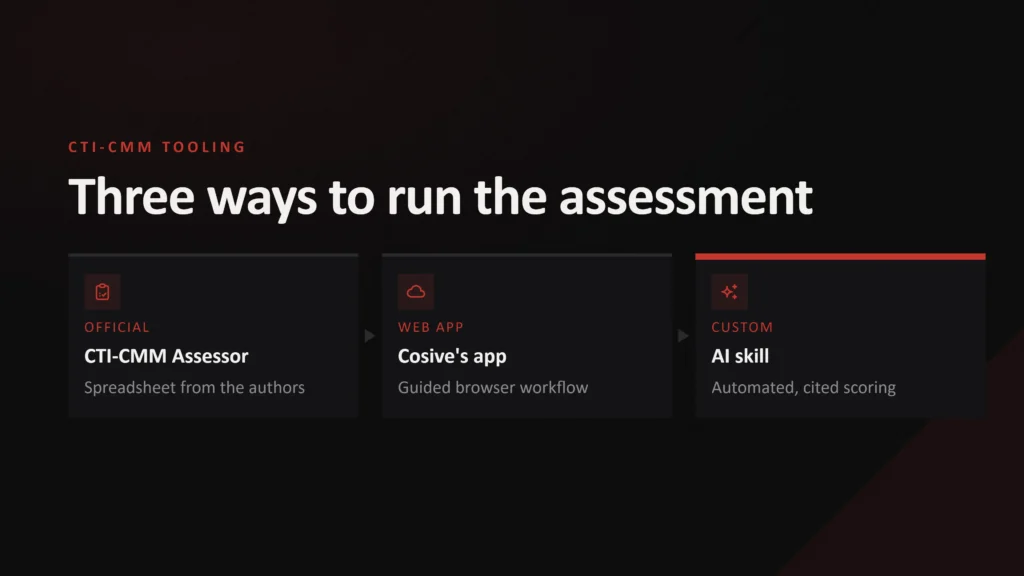
Pick the assessor or Cosive’s app as your system of record and use the AI skill to feed it, following the six steps below.
Step 1: Scope Your CTI-CMM Assessment
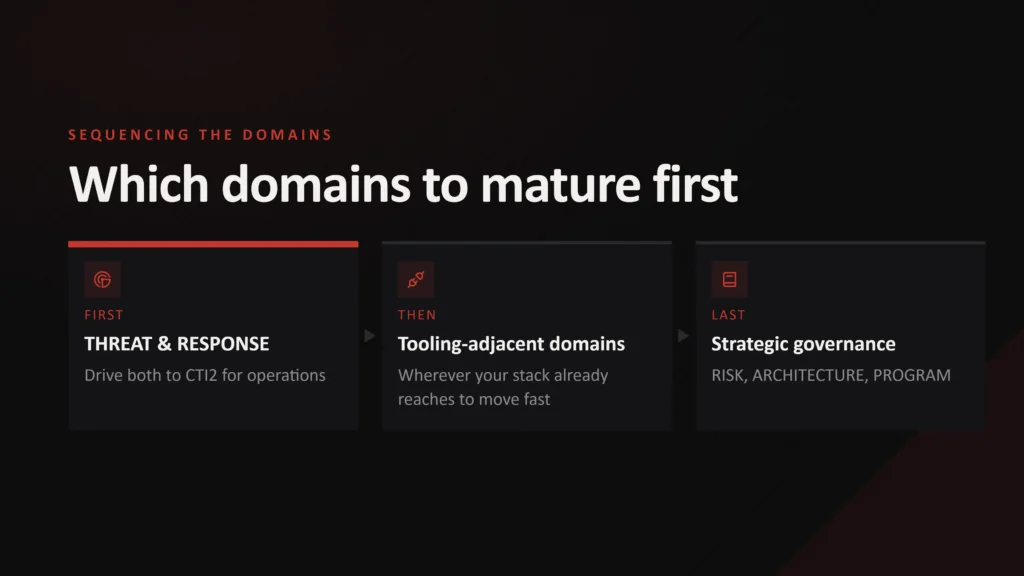
Start by deciding which domains to assess. Here is the order I recommend:
- Start with threat and response to CTI2. They are your operational core, and where CTI most visibly changes security outcomes.
- Next, whichever domain your existing tooling already touches. If CTI already feeds an asset inventory or attack surface tool, that is asset. If it already informs identity alerts, that is access.
- Leave risk, architecture, and program management until last. By then you will have evidence from earlier work to back them up. When you get there, start with threat modeling and crown jewel analysis, because those domains depend on knowing what you are defending.
This is my recommendation, not a framework rule. Find more details in this practical guide to the CTI-CMM.
Next, remove what does not apply. Each domain tab in the assessor has a “Domain is Relevant?” setting at the top. Before you answer a single question, switch off any domain that is not relevant to your organization (a domain you are simply leaving until later stays on). No consumer-facing product or payments? Fraud is probably out. You can also mark individual practices as N/A.
Cosive’s app works the same way, and excluded items drop out of every score, total, and plan. This one step removes a big chunk of the paralysis.
Step 2: Gather Evidence With an AI Skill
Evidence gathering is where assessments tend to die. Somebody has to read every playbook, metrics log, and SOC runbook and match them to specific practices, at a volume that does not fit in a normal work week. Large language models read at scale, so hand them the reading. (If you are scoring by hand, skip to Step 3.)
Before you connect anything
You are about to point a model at sensitive internal documents. Get sign-off first, then:
- Use an approved model through an enterprise tenancy with clear data-handling terms, or one you host locally.
- Grant read-only, least-privilege access to documentation and summaries. Keep secrets, credentials, and raw telemetry out of scope.
- Treat everything the model reads as untrusted input. A document can contain text that tries to steer the model, so the skill must ignore any instructions it finds.
What the skill should do
Provide the practices for the domain you are assessing. Cosive’s repository includes them as JSON (cti-cmm-data.json); strip each practice to its id, maturity, and text so default fields such as "score": 0 aren’t mistaken for earlier scores.
Then connect it to your playbooks, workflows, repositories, and metrics logs through MCP (Model Context Protocol) servers, APIs, or command-line tools. If MCP is new to you, start with our guide to MCP servers for CTI.
The skill’s prompt applies the evidence rule and holds the model to the same discipline as a human assessor. It must:
- Score only in-scope practices, each against its own text, without crediting work that belongs to a higher-level practice;
- Cite a file path or URL and a verbatim excerpt for every score of 1 or above;
- Score 0 and flag “NO EVIDENCE FOUND” when it cannot find anything;
- Ignore volume metrics and any instructions embedded in the documents it reads;
- Choose the lower score when unsure, and say why.
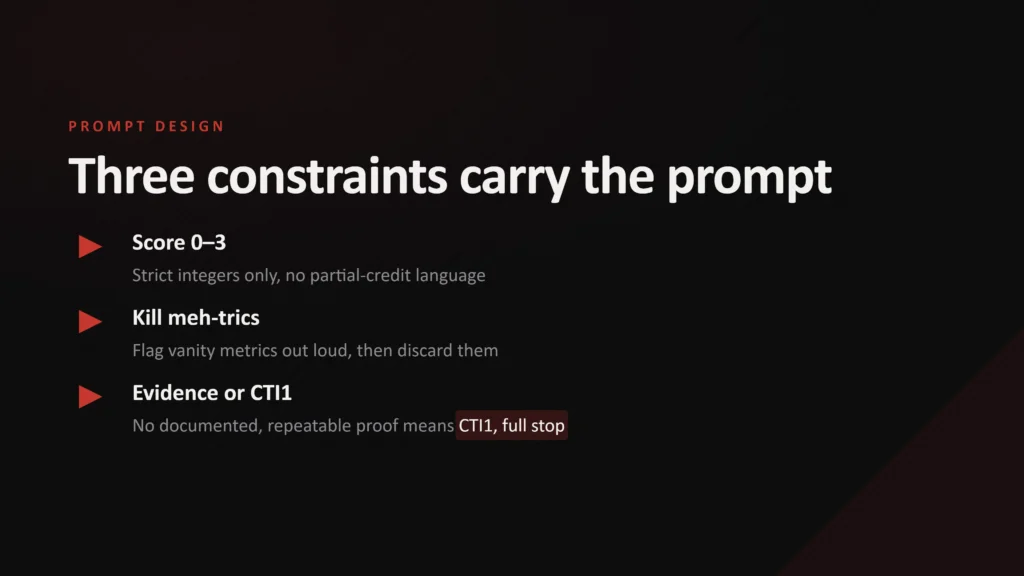
Instruct it to return a table keyed by practice ID (THREAT-5-c, for example), the bottlenecks blocking the next maturity level, and a short remediation roadmap. Each row should map straight onto the assessor or Cosive’s app.
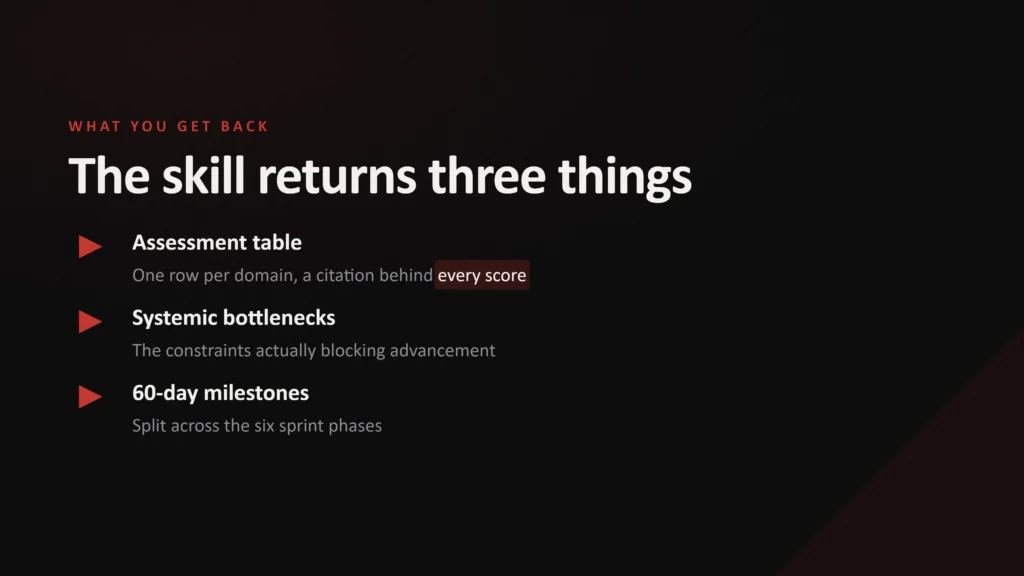
Between formal assessments, rerun the skill to check progress on each roadmap increment.
Step 3: Score and Verify Your CTI Maturity
Work through each in-scope practice, find the documentation that shows it happens, apply the evidence rule, and record the evidence, owner, and reasoning alongside the score.
Each domain tab lists its practices under CTI1, CTI2, and CTI3. Alongside each score, you record the Evidence (where the documentation lives), the POC (who owns it), and Notes (why you gave that score and what is missing). The Status column fills in automatically. Only the score is required, but evidence makes it defensible.
A worked example: patch prioritization
In the threat domain, objective THREAT-5 covers improving patch prioritization. One of its CTI2 practices, THREAT-5-c, asks whether patch prioritization considers three signals: available proof-of-concept code, observed active exploitation, and adversary interest seen on the dark or surface web.
| Score | What the team does | Evidence you could link to |
|---|---|---|
| 0 | Patching is prioritized on CVSS alone. CTI is never consulted. | None |
| 1 | An analyst messages the vulnerability team when they spot an exploited CVE in the news. | A few chat messages. No process, so the evidence rule caps it at 1. |
| 2 | A documented weekly process checks critical and high CVEs across all three signals (including the CISA KEV catalog), but adversary interest relies on one free source and is checked only when time allows. | The process document and the ticket history of weekly handoffs. |
| 3 | All three signals are checked for every critical and high CVE, every week, with adversary interest monitored across more than one source on a set schedule. | The process document, the ticket history, and records showing each signal was assessed. |
Where score 3 stops matters. THREAT-5-c is about CTI informing prioritization. The CTI3 practice next to it, THREAT-5-d, is where CTI products start driving patch management. Scoring one practice should never mean crediting yourself for the next level’s work.
Verifying AI-drafted scores
If you used the AI skill, an analyst opens every cited file, confirms the excerpt is real and supports the score, and records it. Let a model self-certify your CTI maturity, and you have simply automated the vanity-metrics problem with a more confident-sounding voice.
Treat every 0 marked “NO EVIDENCE FOUND” as provisional. The model cannot interview people, so chase each one with its owner. If the owner shows the work happened but it isn’t documented, the evidence rule makes it a 1. If they can produce the documentation, score it on its merits.
Once you verify every score, record it in your system of record.
Step 4: Plan Your Targets
The v1.3 assessor includes a Planning Sheet with columns for goal score, impact, level of effort, priority, and target date, but you fill it in by hand. Painful!
This is where Cosive’s app earns its place. Flip the planning mode toggle, and each practice gains target score, impact, effort, and target date fields. You get two outputs without any copying and pasting:
- A radar chart that overlays current maturity against target maturity for every relevant domain.
- A Priorities Sheet that collects every practice where your target is above your current score, ranks it by impact and effort, and exports to CSV.
Be clear about what the ranking is. Impact and effort are your own estimates, so the Priorities Sheet reflects your judgment back to you. It adds visibility: your reasoning is written down where others can see it.
For turning priorities into deliverable work, our CTI project planning guide is a good companion.
Step 5: Present to Leadership
Nobody on a leadership team wants to read 197 rows. They want to know where you are, where you are going, what happens next, and what you need from them. Fit it on one page:
- The radar chart. Current versus target maturity for every in-scope domain. It answers “where are we?” in five seconds.
- The top five priorities. Each with an owner, a target date, and the impact and effort you assigned. When leadership asks why you are tackling threat before risk, they can challenge your reasoning rather than your conclusion, which beats defending a hunch.
- One maturity-plus-outcome pairing. A maturity score alone is still an internal measure. Pair it with a security outcome leadership already cares about, for example: “Threat moved from CTI1 to CTI2. Median time to patch KEV-listed vulnerabilities fell from 14 to 3 days.”
- The ask. Whatever unblocks the next increment: stakeholder time, tooling budget, or headcount. Without it, the roadmap is a wish list.
Step 6: Reassess Every Six Months
A single assessment is a snapshot. The value comes from repeating it. The CTI-CMM team recommends assessing at least twice a year: after end-of-year planning and again at the midpoint. Reassess sooner if your CTI program restructures or takes on a new remit.
Each time you reassess:
- Compare scores against last round’s targets. The gaps that closed are your progress story. The gaps that did not close need an explanation.
- Reuse your evidence. Most of it will still be valid, so every assessment after the first is faster.
- Update your outcome pairing. Track the same security outcome each round so leadership sees a trend, not a one-off number.
Where to Start This Week
When leadership asks whether your threat intelligence is working, a list of reports won’t hold up. A scored, evidence-based assessment with a security outcome attached will.
If you do one thing now, open the assessor, switch off the domains that don’t apply, and score THREAT-5 using the evidence rule. It is one objective, and it will quickly show you how much of your evidence would hold up.
What gets measured gets improved!




Frequently Asked Questions
What is the CTI-CMM?
The CTI-CMM (Cyber Threat Intelligence Capability Maturity Model) is a free, community-developed framework for assessing and improving a CTI program. It measures how well your team supports stakeholders across 11 domains. Practices are grouped into three maturity levels, CTI1 (Foundational), CTI2 (Advanced), and CTI3 (Leading), with CTI0 meaning no practices are performed.
What is the CTI-CMM Assessor?
The CTI-CMM assessor is the official, free spreadsheet for running a CTI-CMM assessment. You download it from GitHub, switch off domains that do not apply, and score each practice from 0 (not implemented) to 3 (fully implemented) while recording the evidence, owner, and notes behind each score.
How Long Does a CTI Maturity Assessment Take?
Expect two to four analyst-days for a hand-scored assessment of two domains with real evidence. However, this will vary greatly depending on your ability to acquire the evidence you need, as it often sits across multiple stakeholders. Scoping out irrelevant domains and using an AI skill to gather evidence shortens that considerably, and later rounds are faster because you can reuse most evidence.
Which CTI-CMM Domains Should I Assess First?
Start with threat and response, which form your operational core. Next, tackle domains your existing tooling already touches. Leave strategic domains such as risk, architecture, and program management until last.
Is the CTI-CMM Free to Use?
Yes. You can download the framework for free from cti-cmm.org. The official assessor spreadsheet is open source under the Apache-2.0 license, and Cosive’s web app is open source under the MIT license and runs entirely on your own machine.
Can AI Score My CTI Maturity for Me?
It can draft scores and gather the evidence behind them. It can’t sign them off: an analyst must check every citation and confirm every score before recording anything.